 Converts ODT documents to ePub
eBookWorkflow welcomes you
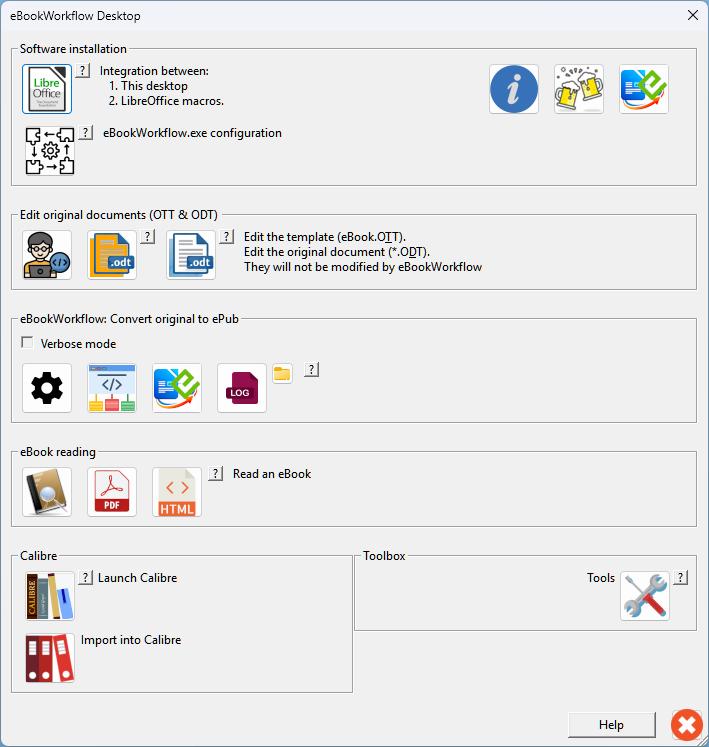
What eBookWorkflow does
- Software for MS-Windows (64 bits).
- Converts ODT files to EPUB 3 files (eBooks).
- Cleans exported HTML to ensure valid EPUB structure.
- Generates a ready-to-read ebook, compatible with most readers.
- It is also a practical guide for editing original documents.
- Its user interface is extremely intuitive.
What it does NOT do
- Edit EPUB content directly.
- Redesign the layout or style of your eBooks.
- Offer publishing or commercial services.
- Guarantee support for all ODT document configurations.
This approach ensures that the tool remains reliable and easy to maintain.
Maximum autonomy
- eBookWorkflow converts the ODT file directly to be almost independent of macros.
- This guarantees independence from word processors.
Converting ODT documents to ePub (eBook)
- eBookWorkflow creates ePub eBooks compliant with the EPUB 3 standard.
- 100% compatible with LibreOffice.
- Tested with OpenOffice.
- Can generally convert ODT documents from other sources (MS-Word).
- Can create portable documents, independent of subdirectories.
eBookWorkflow features
- Extracts unlinked images & links them to the text.
- Adapts image dimensions in the text.
- Resizes images on the hard drive.
- Flattens sections column by column.
- Flattens tables row by row.
- Removes incompatible tables of contents and indexes.
- Removes empty paragraphs.
- Removes software page breaks.
- Manages non-breaking spaces and word breaks
- Option to remove forced line breaks.
- Metadata management.
- Compatible with Calibre.
- Etc.
Why not use LibreOffice?
The LibreOffice to ePub export function is limited:
- Not suitable for complex documents.
- Some document structures are not handled (tables, sections...)
- Images are not resized, poorly handled or lost.
- Handles metadata poorly or not at all.
- Etc.
If LibreOffice meets your needs, use it, otherwise try eBookWorkflow!
LibreOffice vs eBookWorkflow comparison
Here are two versions of the same relatively simple ODT document:


 1/5
1/5

